
Installation Guide
A step-by-step guide to deploying the software on your server.
Server Requirements
Before you begin, ensure your hosting environment meets these requirements:
- PHP 8.2 or higher
- MySQL or MariaDB
- BCMath & cURL Extensions
- mod_rewrite enabled
Step 1
Upload Files
Download the latest version of Keystone Accounting Lite. Upload the ZIP file to your server (usually inside public_html) and extract it.
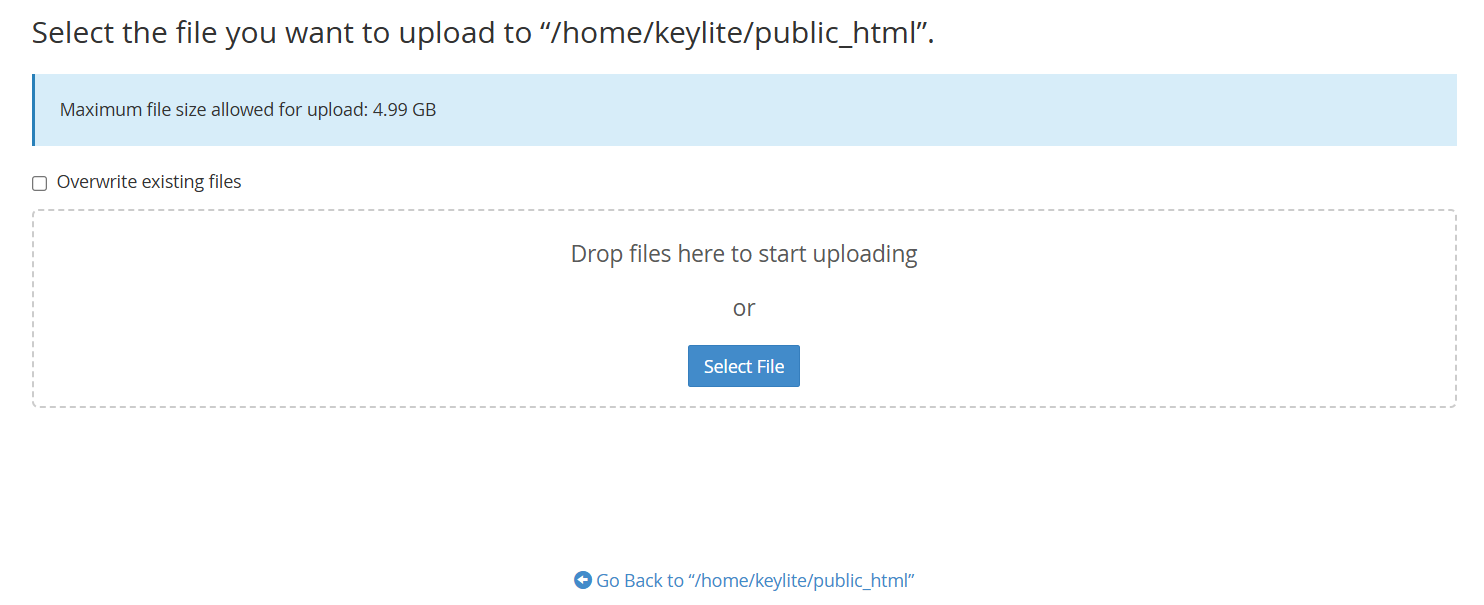
Extracting files in File Manager
Step 2
Prepare Database
Log in to your hosting control panel (e.g., cPanel). Go to the MySQL Database Wizard and create a new, empty database.
Note down the Database Name, User, and Password. You will need these in the next step.
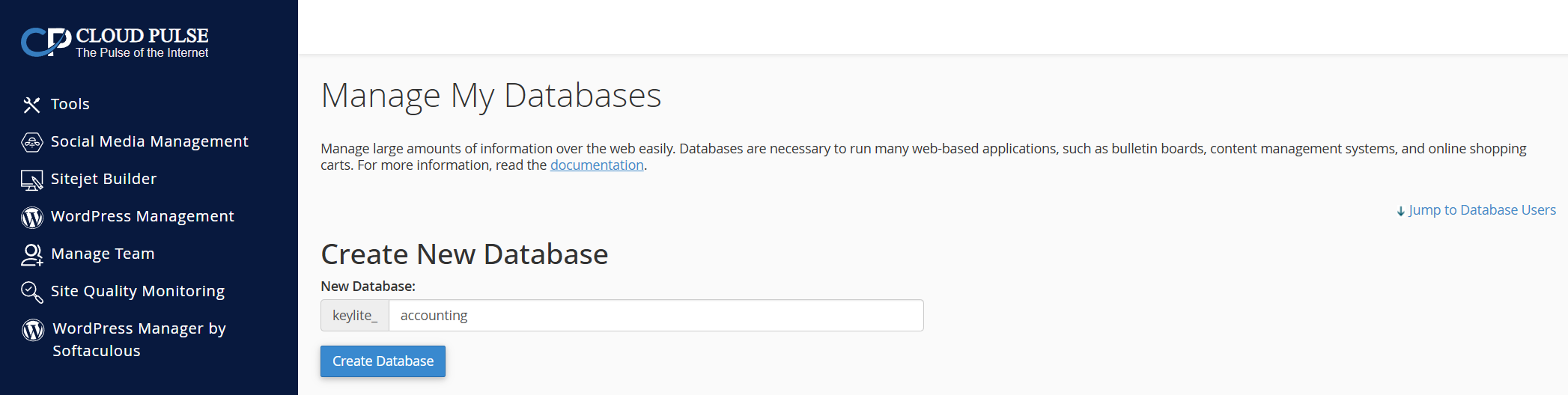
Creating a database user in cPanel
Step 3
Start Installer
Open your browser and navigate to your domain. The installation wizard will verify your server compatibility. If all checks pass, click Next Step.
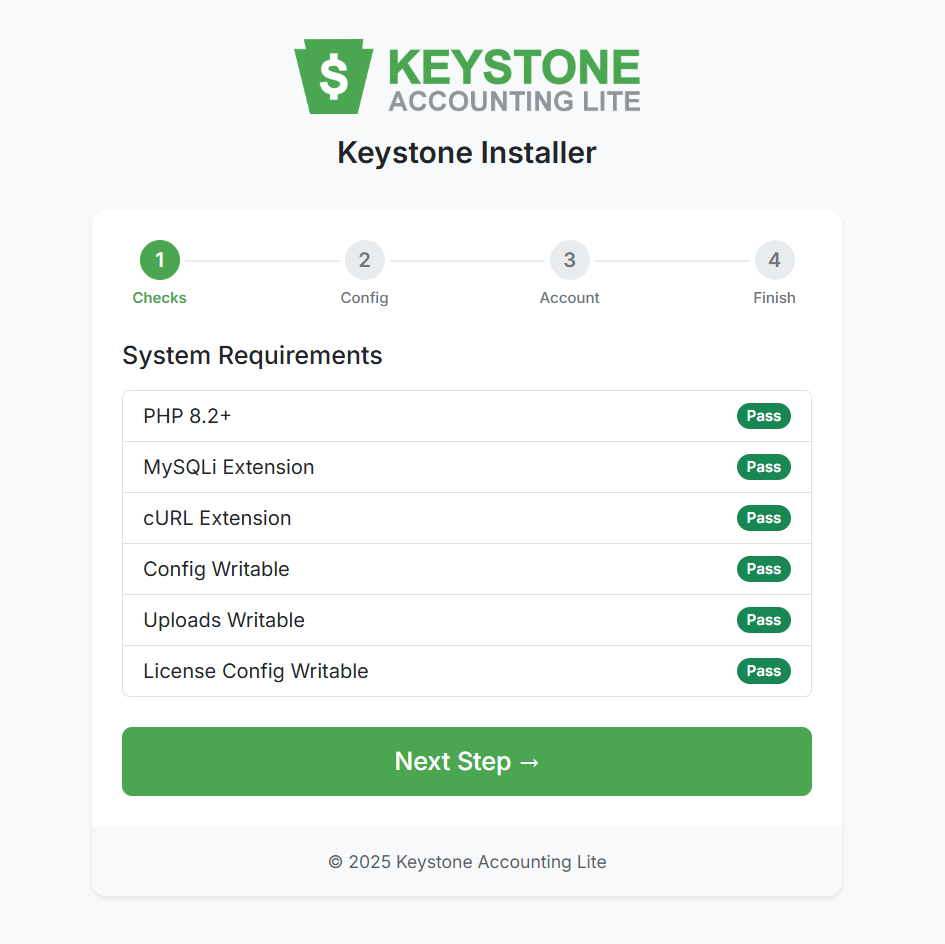
System Requirements Check
Step 4
Configuration
Enter the Database Credentials you created in Step 2, and enter your License Key. The installer will automatically connect and set up the database tables for you.
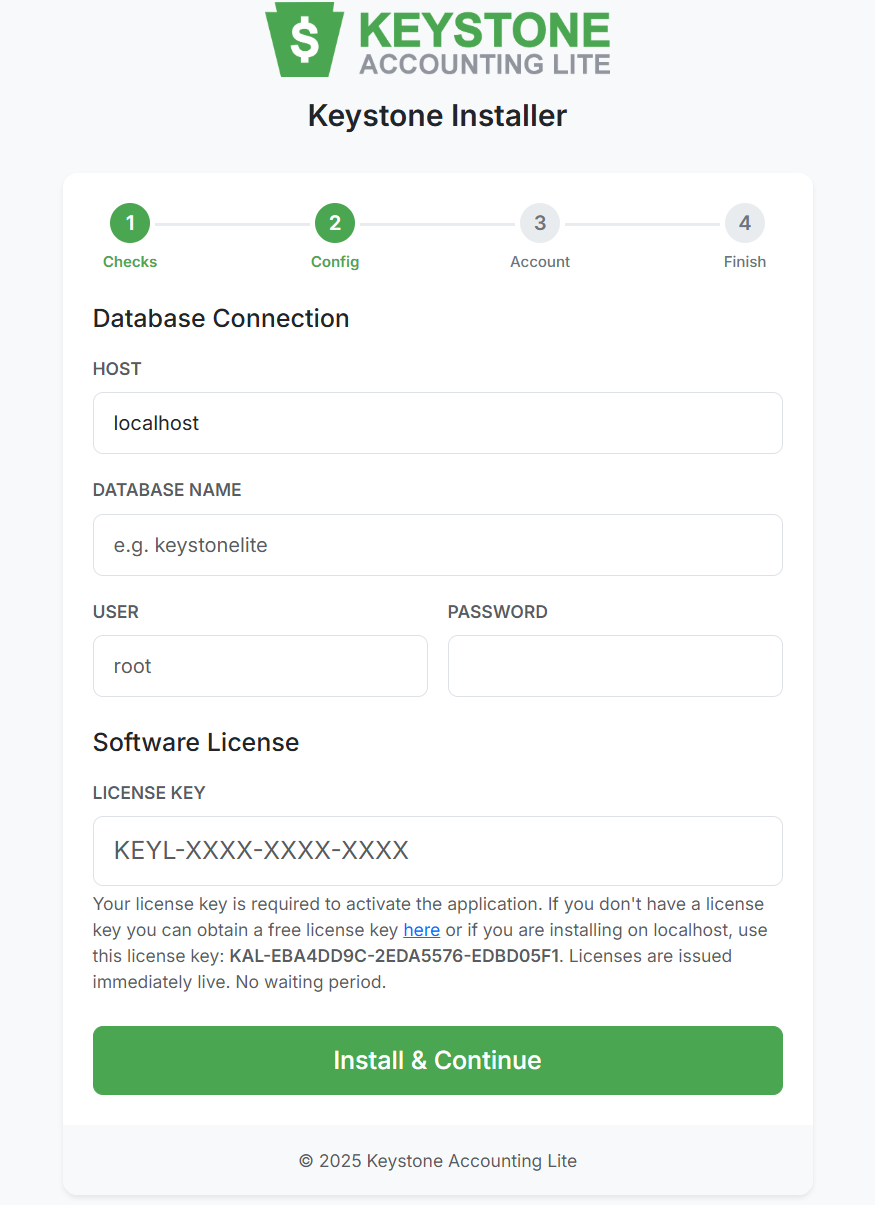
Entering Database & License Details
Step 5
Create Admin
Create your primary Administrator account. This email and password will be used to log in to the dashboard.
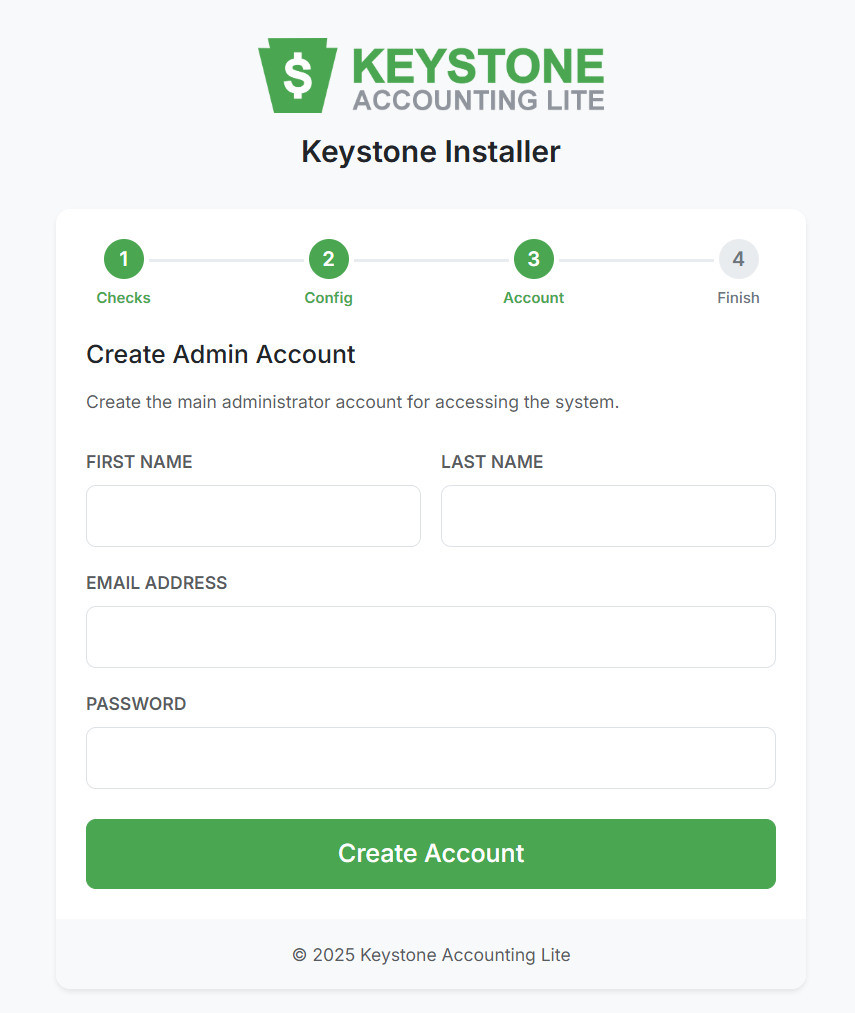
Setting up the Admin Profile
Step 6
Installation Complete
Once finished, the system is ready!
Important: Please delete the /install folder from your server for security purposes after successful installation.
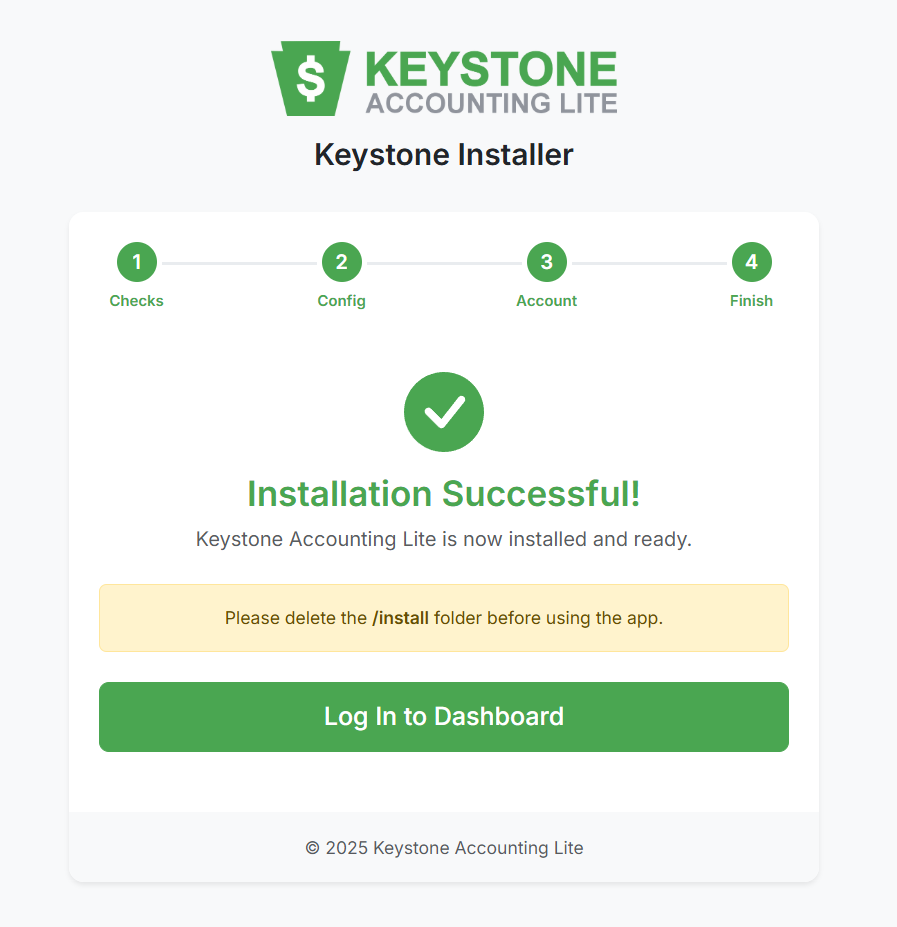
Success Screen